How to deliver a free lead magnet on Buttondown's free plan
Buttondown's free plan won't let you edit the welcome email, so you can't put a download link in it. The confirm link can do the job instead: after someone confirms, Buttondown can send them to any URL you choose. Here's the setup we use for our free Continuity Catcher checklist.
Affiliate disclosure. Buttons marked “Try Buttondown” are affiliate links. If you open an account through one and later pay Buttondown, its referral program pays Harbor Lane Studio a 25% lifetime commission, according to its docs[6]. You pay the same price. Buttondown didn't see this page before it went up and doesn't endorse us. Full details: affiliate disclosure.
The setup
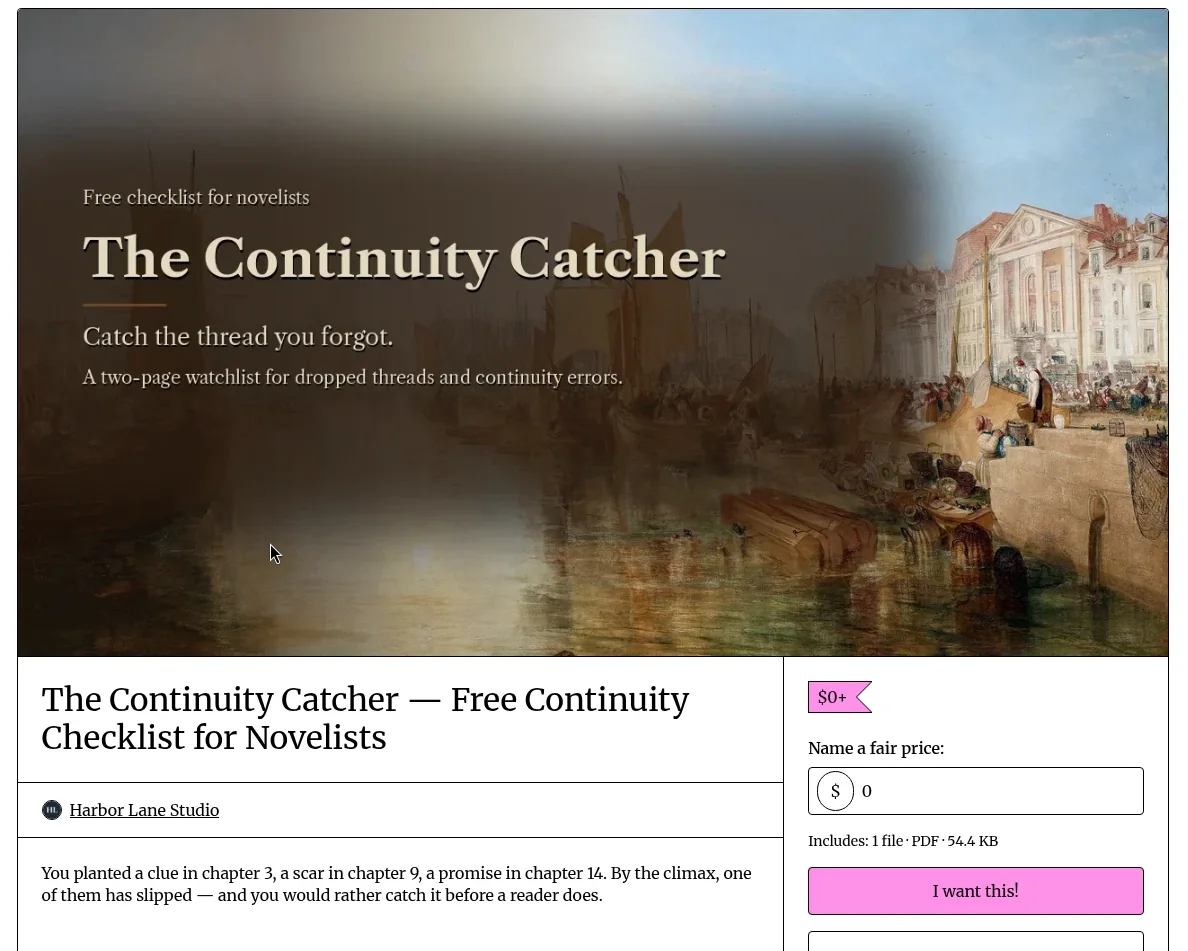
- Give the freebie its own page. Ours is a $0 listing on Gumroad: the Continuity Catcher. Any page that hands over the file works.
- Say what subscribers get in your newsletter description. It shows on your public page, and Buttondown includes it in the “Confirm your subscription” email. Ours reads: “Printable checklists and Notion planners for novelists and travelers. Subscribers get the free Continuity Catcher checklist.”
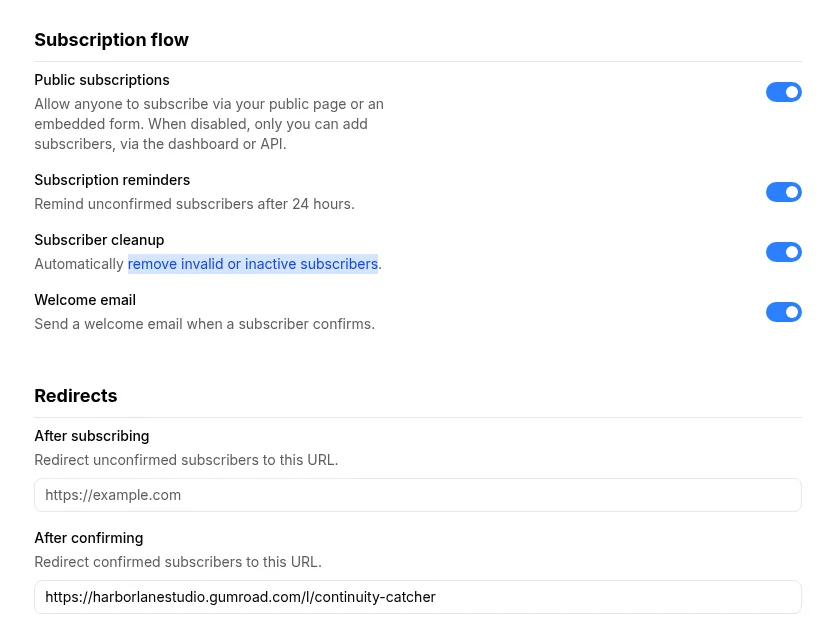
- Set the redirect. Go to Settings, Subscribing, Redirects, and paste the freebie's URL into “After confirming”. We left “After subscribing” empty, so only people who confirm get sent to the download. The grey https://example.com in the screenshot is Buttondown's placeholder, not a URL we entered.
- Test it with a second address. Subscribe on your public page, open the confirmation email, and click the link. In our test the email arrived in under a minute, and the link returned a 302 redirect to our Gumroad page.
What a subscriber goes through
- They enter their email on your Buttondown page or form.
- They get “Confirm your subscription to [your newsletter]”, with your description in it.
- They click the confirm link and land on your freebie's page.
- The default welcome email follows, unless you've turned it off. Its text is generic (“You'll start receiving emails right here in your inbox”) and can't be edited on the free plan[3].
What this method doesn't do
- The file isn't in an email. If a subscriber closes the tab, they need your public page or the freebie's URL to find it again.
- Only confirmed subscribers get it. People who never click the confirm link don't. The “Subscription reminders” setting, on in our account, reminds unconfirmed subscribers after 24 hours.
- It stops being free at 100 subscribers[1]. A custom welcome email with the link inside needs the Standard plan, listed at $29/month[3][4].
Sources
Source links are plain links. Only buttons marked “Try Buttondown” carry our referral code.
- Buttondown, Pricing (free tier, add-ons and FAQ), checked November 24, 2026.
- Buttondown Docs, Welcome email, checked November 24, 2026.
- Buttondown Docs, Forms (availability: Standard plan, $29/month), checked November 24, 2026.
- Buttondown Docs, Referring others to Buttondown (referral program and FAQ), checked November 24, 2026.