Buttondown review: a free email list that works without owning a domain
We opened a free Buttondown account with a username, an email address and a password. The confirm-account email arrived about a minute later. Buttondown sends from harborlanestudio@buttondown.email, so we needed no domain. The catch is the welcome email: on the free plan you can switch it on or off, but you can't change what it says.
Affiliate disclosure. Buttons marked “Try Buttondown” are affiliate links. If you open an account through one and later pay Buttondown, its referral program pays Harbor Lane Studio a 25% lifetime commission, according to its docs[6]. You pay the same price. Buttondown didn't see this page before it went up and doesn't endorse us. Full details: affiliate disclosure.
How this review was made. Harbor Lane Studio sells small Notion and PDF planners on Gumroad. We needed an email list that gives away our free Continuity Catcher checklist, and we don't own a domain. The two tools we tried first stopped us before we could send: one at phone verification, one at domain authentication. On November 24, 2026 we set up Buttondown's free plan for the job, and it's live: our Buttondown page. The screenshots are from that account, with our address blurred. Prices and plan rules come from Buttondown's own pages, linked and dated.
What this review doesn't cover yet: a newsletter issue going to a real list, deliverability at volume, and the paid add-ons.
Who it's for, and who should skip it
A good fit if you sell digital products, don't own a domain, and want a small list that hands out a free download. The free tier covers your first 100 subscribers[1]. Double opt-in, a hosted sign-up page and a redirect after confirming all worked for us at $0.
The biggest catch: the welcome email's text is fixed on the free plan. Editing it, and transactional emails in general, needs the Standard plan[3], which Buttondown's docs list at $29/month[4]. We deliver our freebie with a redirect instead.
Skip it if you need a custom welcome series or automations without paying, expect more than 100 subscribers soon, or don't want “Powered by Buttondown” on your emails.
Try Buttondown: create a free accountWhat we set up, step by step
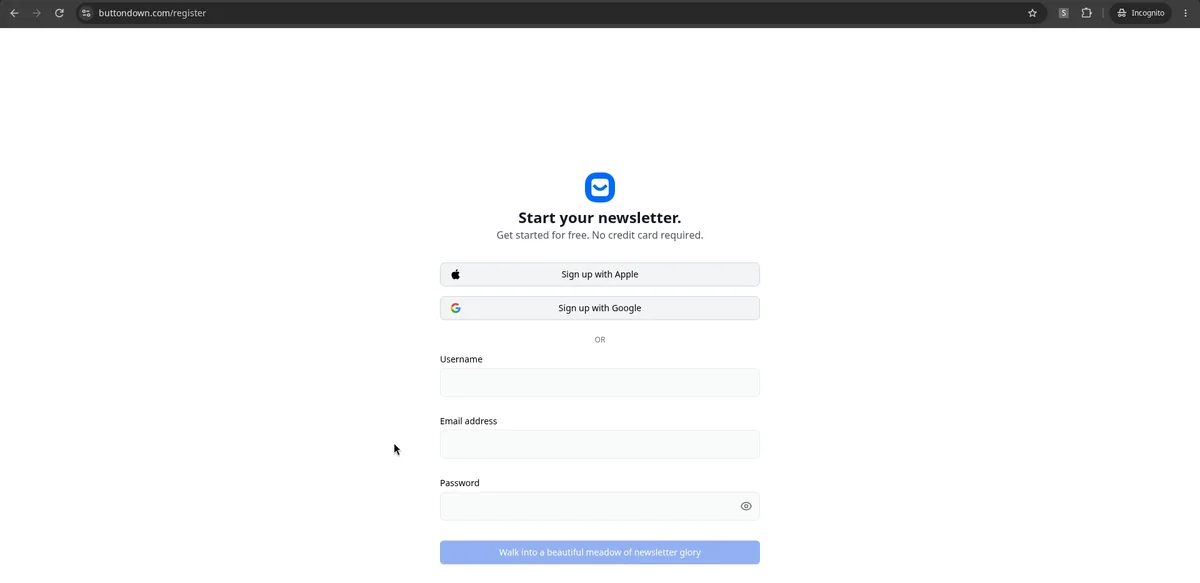
Sign-up: username, email, password
The sign-up page asks for a username, an email address and a password, and says “Get started for free. No credit card required.” It didn't ask for a phone number or a card. The confirm-account email arrived about a minute after we asked for it. A welcome questionnaire followed, and we skipped it.
Sending without a domain
Emails go out from harborlanestudio@buttondown.email. We didn't buy or connect a domain. Buttondown's docs describe sending from your own domain as optional[2][5]. That was the difference for us: two other tools we tried stopped us before we could send.
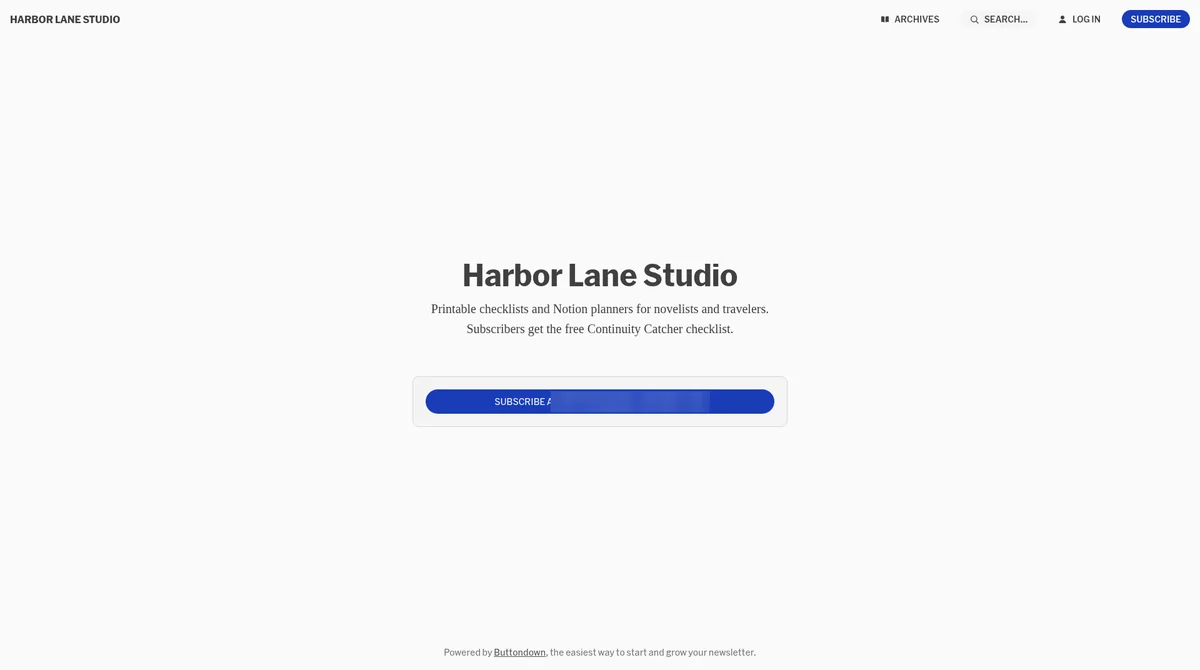
The public page
Every account gets a public page with a subscribe button. Ours is at buttondown.com/harborlanestudio. We used the newsletter description to say what subscribers get.
Double opt-in
New subscribers get an email titled “Confirm your subscription to Harbor Lane Studio”. In our test it arrived in under a minute and included the newsletter description, so the email itself says what the subscriber is signing up for. Each time someone subscribes, the account owner gets a “New Buttondown Subscriber” email.
The redirect that delivers the freebie
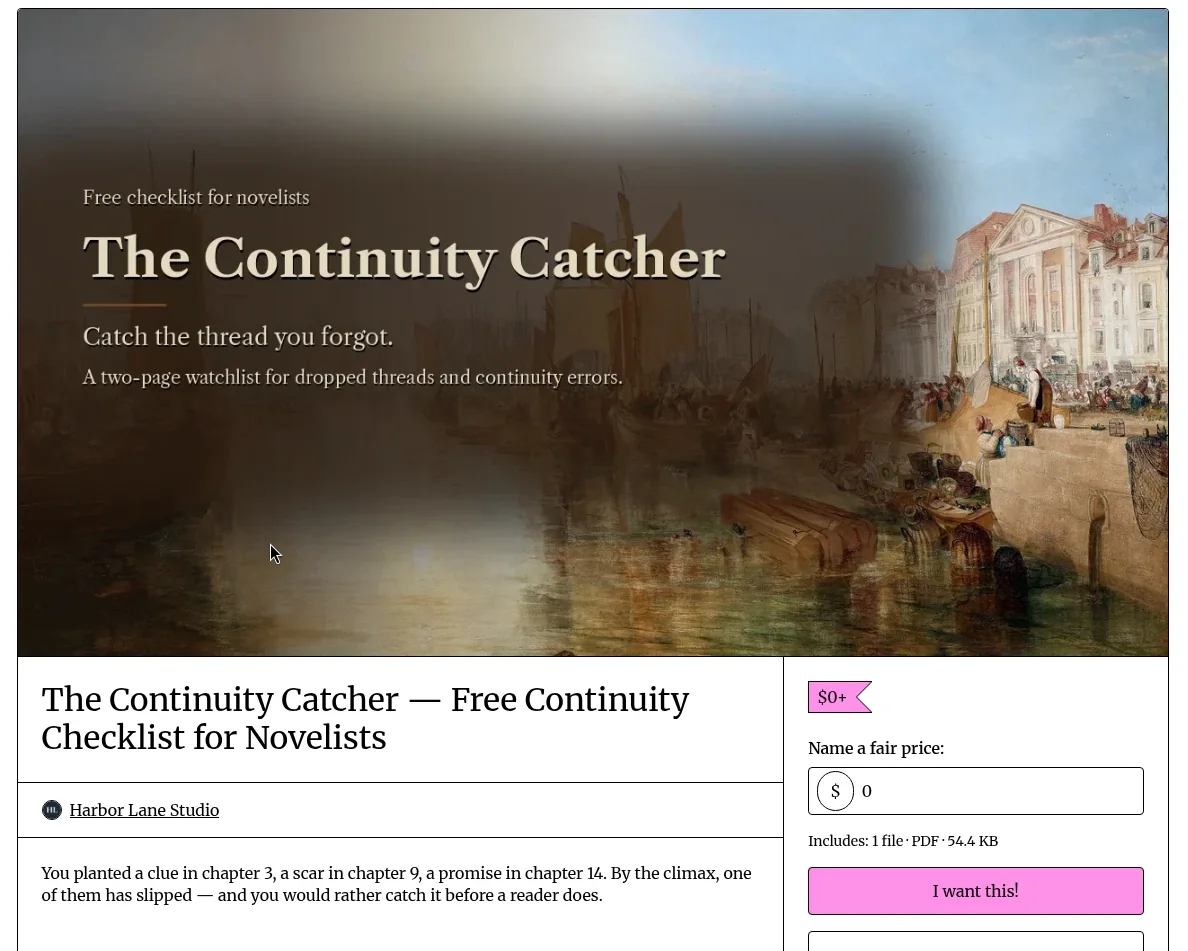
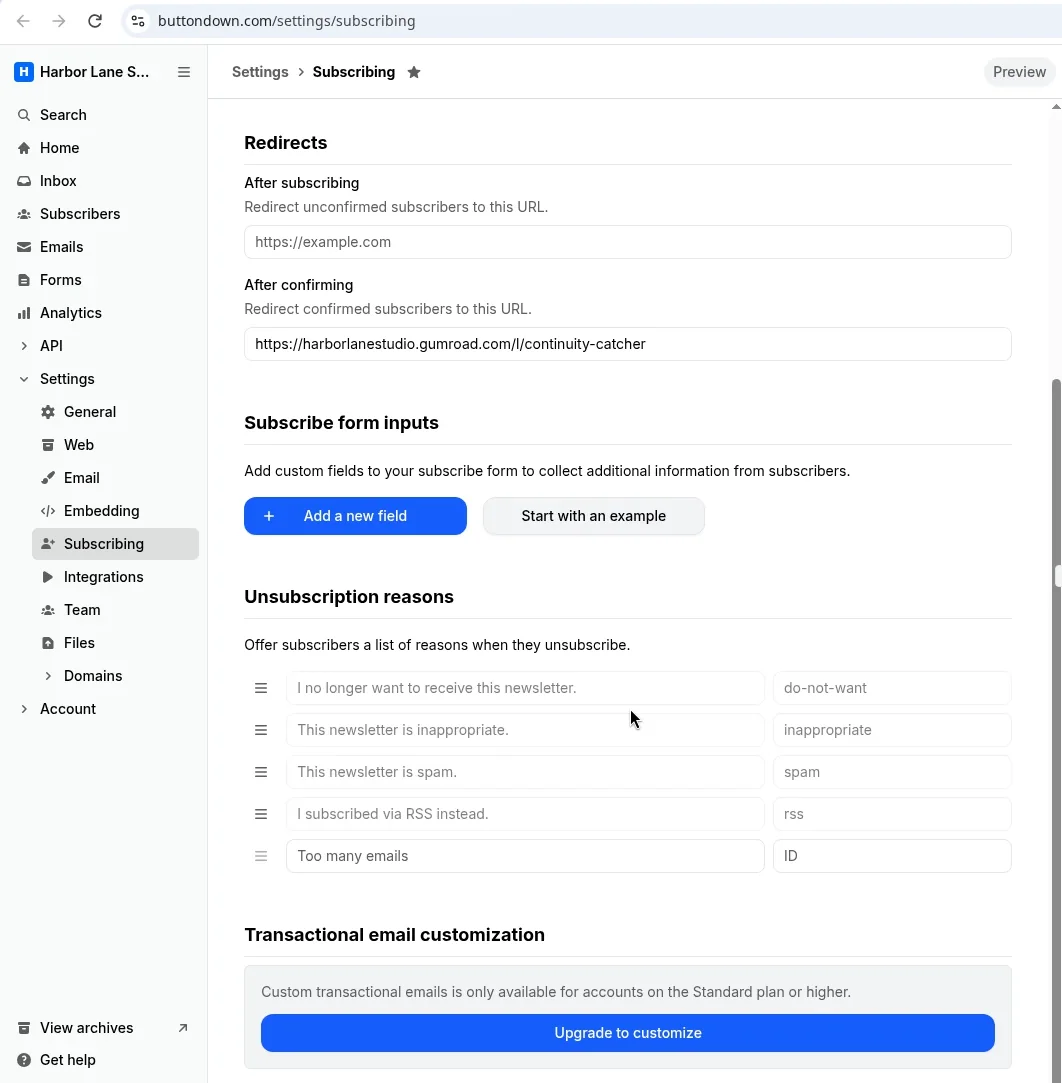
Under Settings, Subscribing, the “After confirming” field takes any URL. We set it to the Continuity Catcher on Gumroad. In our test, the confirm link returned a 302 redirect straight to that page. That's how we hand out a lead magnet on the free plan. The step-by-step guide has the full setup.
The welcome email you can't edit
A welcome email goes out after a subscriber confirms, and it's on by default. The text is generic: “You're in! Welcome to Harbor Lane Studio... You'll start receiving emails right here in your inbox.” When we tried to edit it, the app said: “Custom transactional emails is only available for accounts on the Standard plan or higher.” Buttondown's docs say the same[3].
The mailing address
Settings, Email has an optional mailing address field. Its help text says anti-spam laws like CAN-SPAM require a postal address in commercial email. We didn't see any option in the settings to use an address supplied by Buttondown, so plan on supplying your own.
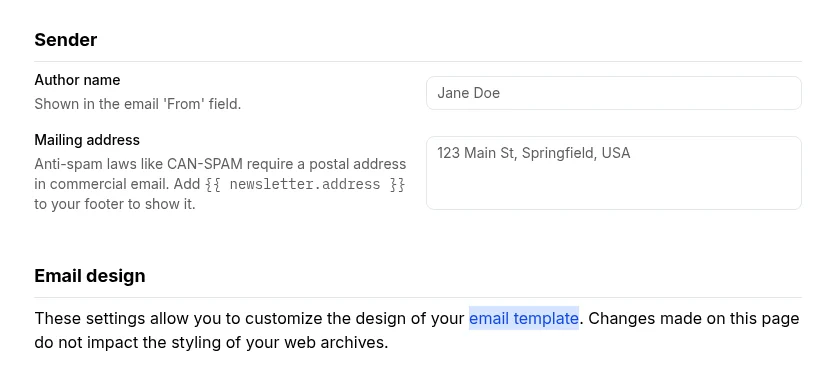
The footer
Emails from our free account carry “Powered by Buttondown” with our own referral link, buttondown.com/refer/harborlanestudio. If someone signs up for Buttondown from that footer, it counts as a referral from us.
What the free plan didn't let us do
- Edit the welcome email, or any transactional email. That's Standard and up[3].
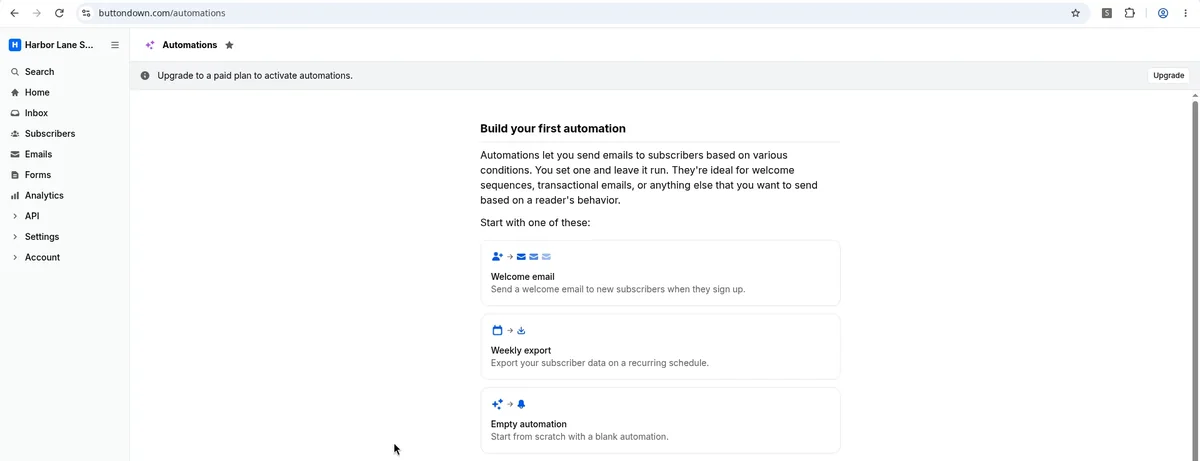
- Turn on automations. The Automations page loads on the free plan and offers starters (Welcome email, Weekly export, Empty automation), under a banner: “Upgrade to a paid plan to activate automations.” The pricing page lists Automations as a +$29/month add-on[1].
- Build extra standalone forms. The docs put Forms on the Standard plan, $29/month. The built-in subscribe page is what you get for free[4].
- Go past 100 subscribers for free[1].
What worked
- No card, phone or domain to get started.
- Fast system emails: the confirm-account email in about a minute, and the subscriber confirmation in under a minute.
- A redirect after confirming, which turns double opt-in into a delivery step.
- An alert to the owner for each new subscriber.
What it costs
| Item | Price | Source |
|---|---|---|
| First 100 subscribers | $0 | Pricing page[1] |
| Standard plan (custom welcome email, Forms) | $29/month | Forms docs[4][3] |
| Automations add-on | +$29/month | Pricing page[1] |
| Whitelabeling add-on | +$79/month | Pricing page[1] |
The pricing page is usage-based and shows $0 for the first 100 subscribers. We don't list other named plan prices, because they weren't clearly stated as monthly on the visible page.
Buttondown charges for active subscribers, and its prices assume at most one email a day to your whole list[1]. We haven't paid for anything, so we can't say how the plans combine at checkout.
How it compares when you have no domain
We needed a list that works without owning a domain. Buttondown was the one that got us there. beehiiv asked for phone verification after email verification, and systeme.io wouldn't send until we authenticated a domain we own. Kit and Brevo point to the same domain wall in their docs. The details are in our no-domain comparison.
Questions people ask
Do I need my own domain to use Buttondown?
No. Our account sends from harborlanestudio@buttondown.email, and we haven't connected a domain. Buttondown's docs say sending from your own domain is optional.[2][5]
Does the free plan ask for a card or phone number?
Not when we signed up on November 24, 2026. It asked for a username, an email address and a password, and the sign-up page says no credit card is required.
How many subscribers can I have for free?
Buttondown's pricing page says it costs nothing for your first 100 subscribers, and it charges for active subscribers. Prices assume you send at most one email a day to your whole list.[1]
Can I change the welcome email on the free plan?
No. You can turn the default welcome email on or off, but editing it is on the Standard plan. The app told us custom transactional emails are only available on Standard or higher.[3]
Can I deliver a free download without editing the welcome email?
Yes. Set the “After confirming” redirect to the page with your download. When a subscriber clicks the confirm link, Buttondown sends them straight there. Our guide shows the setup.
If you want to try it
Open a free account, write a newsletter description that says what subscribers get, set the “After confirming” redirect, and subscribe with a second address to test the whole path.
Try Buttondown: create a free accountSources
Source links are plain links. Only buttons marked “Try Buttondown” carry our referral code.
- Buttondown, Pricing (free tier, add-ons and FAQ), checked November 24, 2026.
- Buttondown Docs, Welcome to Buttondown! (account creation), checked November 24, 2026.
- Buttondown Docs, Welcome email, checked November 24, 2026.
- Buttondown Docs, Forms (availability: Standard plan, $29/month), checked November 24, 2026.
- Buttondown Docs, Sending from a custom domain, checked November 24, 2026.
- Buttondown Docs, Referring others to Buttondown (referral program and FAQ), checked November 24, 2026.